Shital Infotech
Paper Checker — AI answer sheet grading
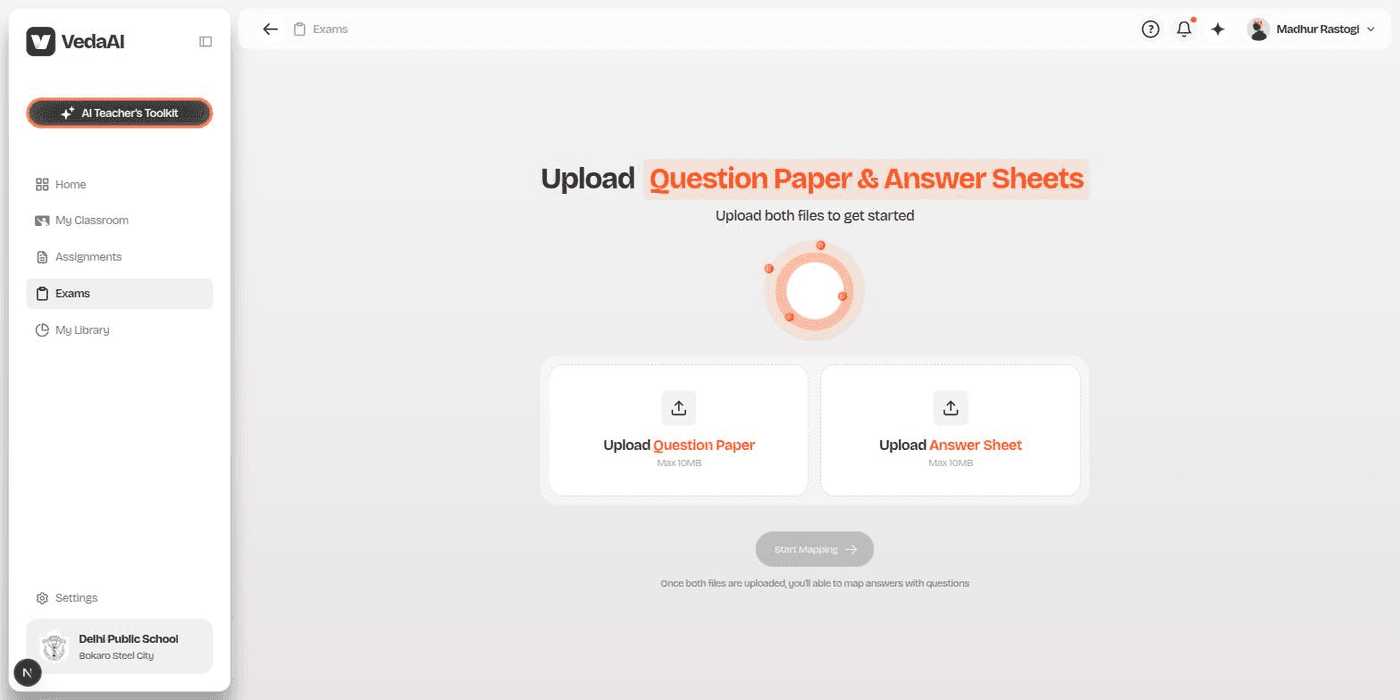
Upload a question paper and a handwritten answer sheet — get graded, highlighted results back.
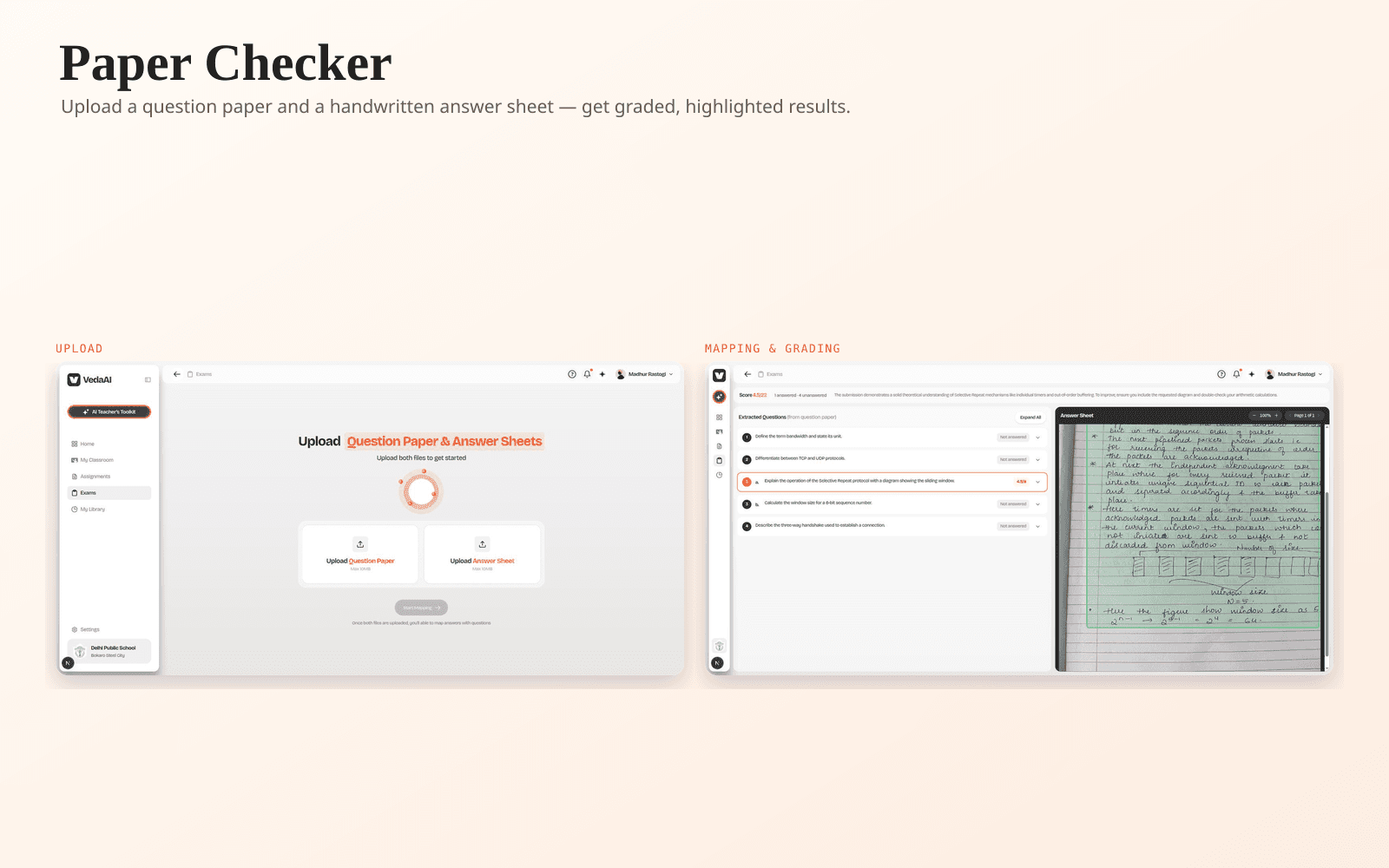
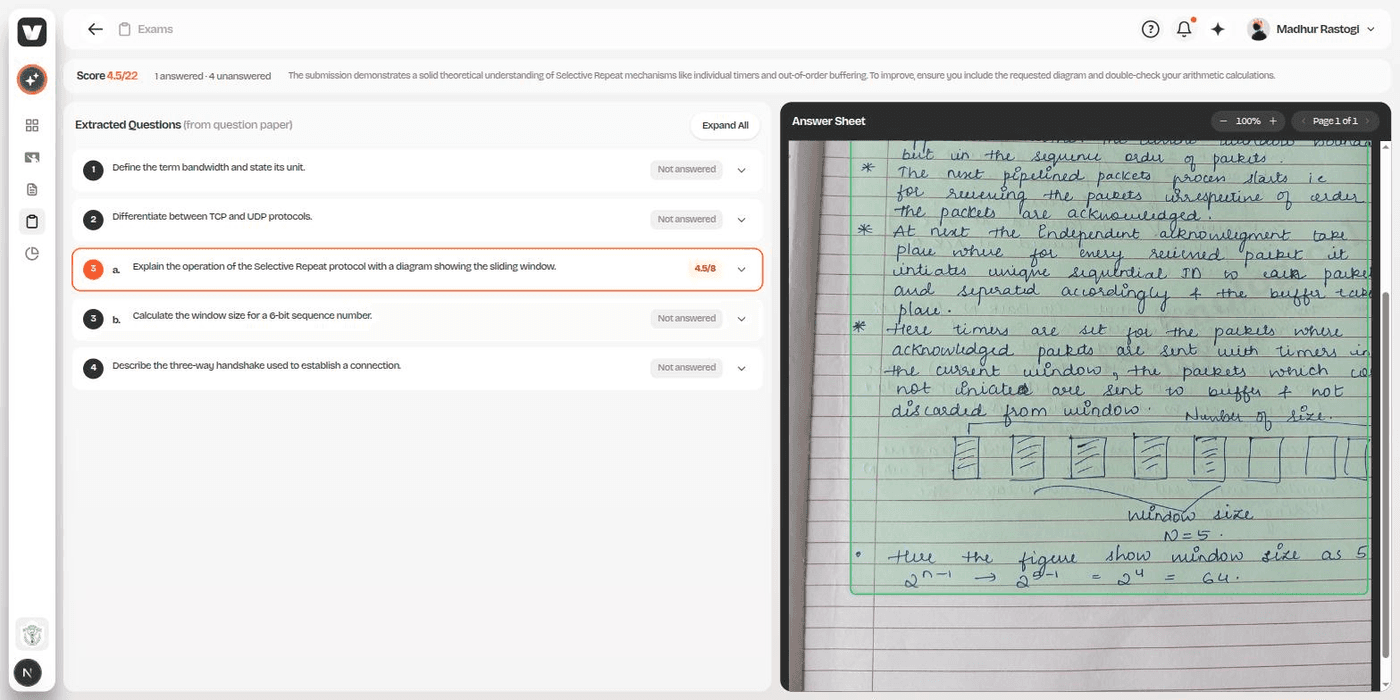
Teachers upload a question paper and a student's handwritten answer sheet; the app reads the handwriting, matches each answer to its question, grades it against a rubric, and highlights exactly where on the page each answer was written.
The problem
Grading handwritten answer sheets against a question paper by hand is slow — matching out-of-order or mislabelled answers, judging diagrams, and applying partial credit consistently is hard to do at scale.
How we built it
Each answer sheet page is read individually and matched to its question two ways — first by its handwritten label, then verified against what the answer actually says, so content wins over an illegible label. Every answer is graded against a rubric across content, working and accuracy, with the exact region highlighted on the original page.
What it does
- Handles answers out of order, split across two pages, or left unanswered — nothing is silently zero-scored
- Full marks for correct meaning in the student's own words — nothing deducted for phrasing or handwriting
- Diagrams are graded from the actual page image, not a transcript
- Click a question and the answer sheet jumps straight to where it was written, highlighted
- Nothing is stored — no database, no saved files; everything happens in one request
Screens